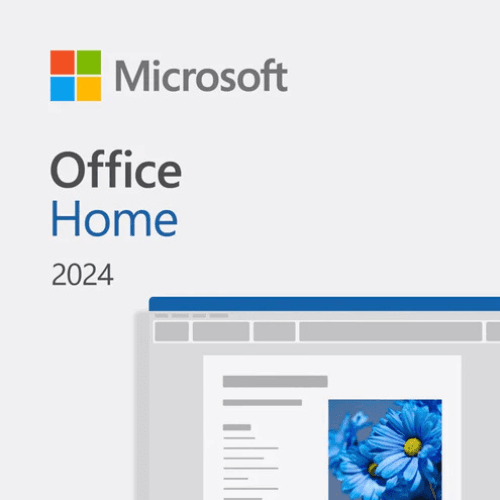
Microsoft Office Home 2024 – Lifetime License
Office software licenses
369.00 GEL
Office Home 2024 — an official lifetime license for one computer (PC or Mac) for home and study: Word, Excel, PowerPoint and OneNote. A one-time purchase — not a subscription. The license key appears in your account under “My licenses” as soon as the payment is confirmed.
- Term: lifetime, one-time payment
- Device: 1 PC (Windows) or 1 Mac
- Apps: Word, Excel, PowerPoint, OneNote
- Use: personal, family, study
- Region: Georgia
- Activation: with a Microsoft account, online
In stock
Description
What you get
A digital code for Office Home 2024 — a 25-character key (format XXXXX-XXXXX-XXXXX-XXXXX-XXXXX) that is linked to your Microsoft account. The license is lifetime: you pay once, with no monthly or yearly fee.
- License type: lifetime (one-time purchase)
- Device: 1 computer — Windows PC or Mac
- Users: 1
- Use: personal, family and study (non-commercial)
- Region: Georgia
- Delivery: digital, no physical box or disc
Region: Georgia
The license is intended for the Georgia region — it is meant to be activated and used in Georgia. Microsoft may reject the key when activated in another country. All of our licenses are for the Georgia region.
What’s included
- Word — documents, contracts, letters
- Excel — spreadsheets, budgets, calculations, charts
- PowerPoint — presentations
- OneNote — digital notes
Home or Home and Business?
Office Home 2024 is for personal, family and study use and does not include the classic Outlook app (for email you can use the free Outlook built into Windows or a browser). If you need Office in a company or for work, or want the full Outlook app, choose Office Home and Business 2024 — it allows commercial use.
Lifetime license or Microsoft 365?
- Office Home 2024 — pay once, the apps are yours for good on one computer. It receives security updates but not new features.
- Microsoft 365 (subscription) — yearly payment, always the latest version, on many devices, with 1 TB of OneDrive and (in Business) email on your domain.
Office 2024 does not include Microsoft 365 cloud services — 1 TB of OneDrive, Teams business features and Copilot.
Support period
Microsoft provides security updates for Office 2024 until October 2029. After that Office keeps working; it simply no longer receives updates.
System requirements
- Windows: Windows 10 or Windows 11, 1.1 GHz or faster 2-core processor, 4 GB RAM, 4 GB free disk space
- Mac: one of the last three macOS versions, Intel or Apple silicon (M1 and newer), 4 GB RAM, 10 GB free disk space
- Display: 1280 × 768 or higher
- Internet and a Microsoft account — for installation and activation
How you receive the license
- Once the payment is confirmed, the license key appears in your account: My profile → My licenses.
- You receive an email letting you know the license is ready.
- If you like, the “Send to email” button in “My licenses” also emails the key to you.
Activation and installation
- If an older Office version or a Microsoft 365 trial is installed, uninstall it first (Settings → Apps).
- Open Microsoft’s official page microsoft365.com/setup.
- Sign in with your Microsoft account (or create one) — the license is permanently linked to this account.
- Enter the 25-character key from “My licenses”, choose your country and language and confirm.
- Open account.microsoft.com/services, find Office Home 2024 and click “Install”.
- Run the downloaded file and wait for the installation to finish.
- Open Word or Excel and sign in with the same Microsoft account — Office activates automatically.
FAQ
Can I reinstall Office?
Yes. The license is linked to your Microsoft account: after reinstalling Windows or changing computers, install Office again from account.microsoft.com/services — on one computer at a time (uninstall it from the old one before installing on the new one).
Does it work on a Mac?
Yes, the same key works on Windows and on Mac — choose the device when installing. The license covers one computer.
Can a company use it?
No. Office Home 2024 is for personal, family and study use only. For work and companies choose Office Home and Business 2024 or Microsoft 365 Business Standard.
Can I get a refund?
Once the digital key has been received, the right of withdrawal no longer applies (see the refund policy). Before ordering, make sure the computer meets the system requirements.
Reviews
No reviews yet. Be the first to review this product.
Only customers who bought this product from us can review it.
.png&w=3840&q=75)